IAR Application Notes
1. Basic Introduction
IAR Embedded Workbench (hereinafter referred to as IAR) is an integrated development environment (IDE) designed for embedded system development provided by IAR Systems, including compiler, debugger, optimizer and other tools, which can help developers to develop embedded software quickly and efficiently.
GR5xx series SDK supports building and debugging through IAR. Different chipset SDKs have different levels of support for different versions of IAR, see the table below for specific support:
| Chip Series | SDK Version | Recommended IAR Version |
|---|---|---|
| GR551x | All versions | IAR 9.40.1 |
| GR5525 | All Versions | IAR 9.40.1 |
| GR5526 | All Versions | IAR 9.40.1 |
| GR533x | All Versions | IAR 9.40.1 |
2. Using GR5xx SDK in IAR
The following is an example of using the GR533x SDK with IAR Embedded Workbench 9.40.1, based on the projects\ble\ble_peripheral\ble_app_template_freertos sample project in the SDK, which describes how to use the GR5xx SDK.
2.1 Generating an IAR project based on a Keil project
The GR5525 SDK, GR5526 SDK and GR533x SDK all integrate IAR project files by default. For GR551x SDK with user’s own project, you need to convert Keil project to IAR project by the script tool provided by SDK. Please refer to “GR5xx IAR User’s Manual” for the specific conversion steps. “Generate IAR Project” section.
2.2 Configuration Debugging and Downloading
Configure Flash Loader. locate the
arm/config/flashloaderfolder under the IAR installation directory, and then create a newGoodixfolder under the folder, as shown below:
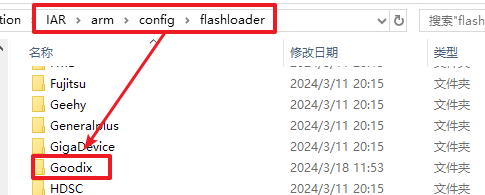
Go to the
${SDK_Folder}/build/iarfolder (where SDK_Folder is the root directory of the SDK) and copy the GR5xxx_IAR_16M.board, GR5xxx_IAR_16M.flash, GR5xxx_IAR_flashloader, and GR5xxx_IAR_16M.out in the folder. 16M.out_ files to theGoodixfolder created earlier, as shown below:

If you use GR551x SDK, the files you need to copy are GR55xx_IAR_8M.board, GR55xx_IAR_8M.flash, and GR55xx_IAR_flashloader_8M.out.
Go to the IAR project directory for the
ble_app_template_freertosexample and create a gr5xxx.mac file in that project directory.
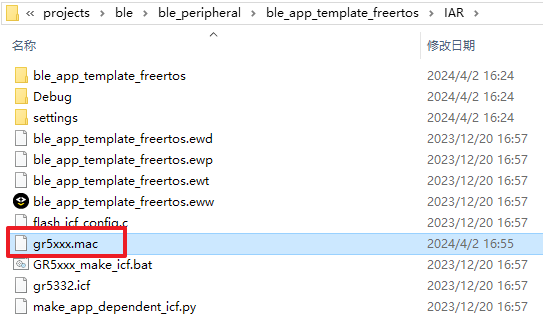
Write the following in the gr5xxx.mac file and save it:
execUserReset()
{
    #SP = __readMemory32(0x00000000, "Memory");
    #PC = __readMemory32(0x00000004, "Memory");
    __writeMemory32(0xE000ED08, 0x00000000, "Memory");
}
Use IAR to open the project in the
IARfolder in the sample project directory as shown below:
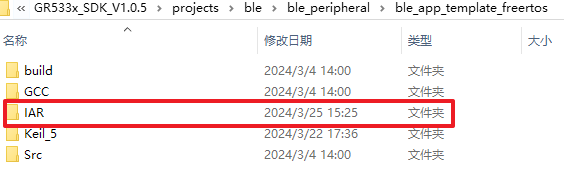
Open the ble_app_template_freertos.eww project file using IAR. Right mouse click on the build target in IAR and click
Options...to open the project settings window.
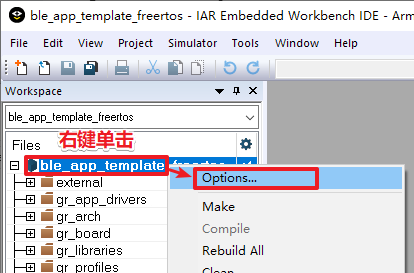
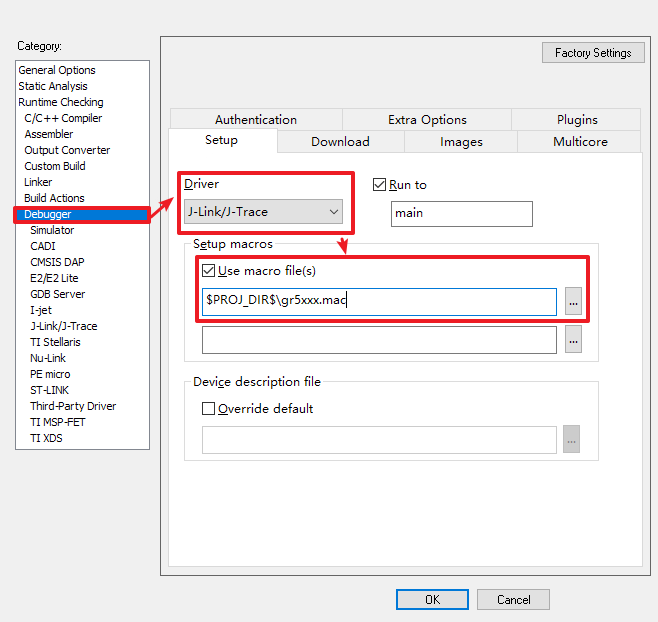
In the
Categoryon the left side of the setup window, click to check theDebuggeroption, setDrivertoJ-Link/J-Trace, checkUse macro file(s)and enter$PROJ_DIR$\gr5xxx.macin the file selection box below, as shown below:
Switch to the Download tab, check Use flash loader(s), check Override default .board file, and enter $TOOLKIT_DIR$\config\flashloader\Goodix\GR5xxx_ in the file selection box below. IAR_16M.board, as shown below:
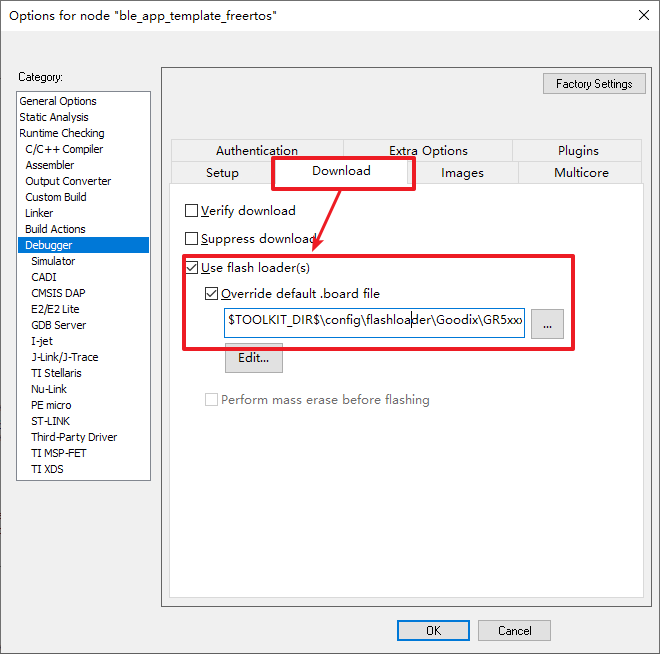
If you are using GR551x SDK, you need to replace GR5xxx_IAR_16M.board with GR55xx_IAR_8M.board in the above path.
Click
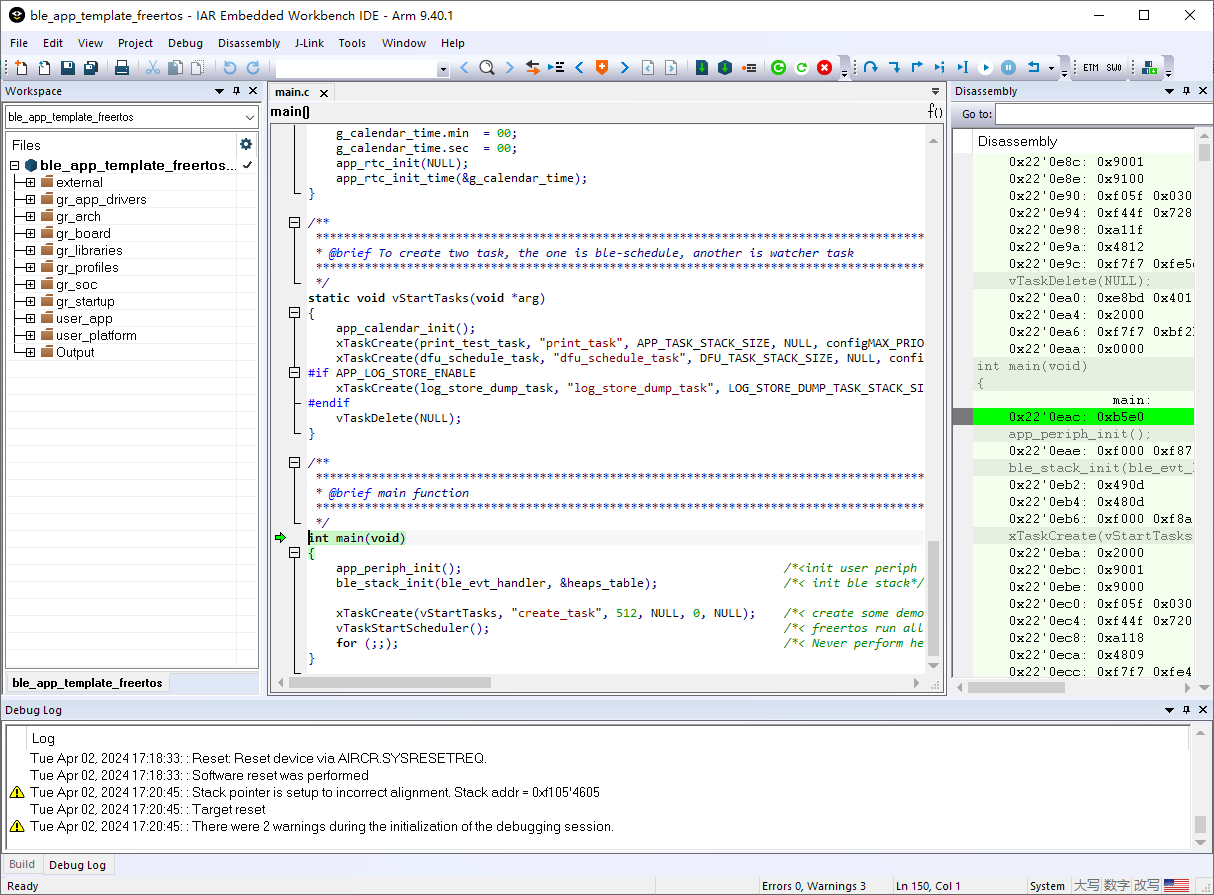
OKto complete the setup. Wait for IAR to update the project and then you can compile, download and debug it. Click theDownload and Debugbutton in the IAR toolbar, or use the shortcut keyCtrl+Dto trigger compile, download and debug in one click:

After the compilation is complete, IAR will automatically download the firmware and start debugging. The first time that you use IAR for debugging download, there may be a popup window prompting
The first time that you debug a project in C-SPY, you must setup or review the memory configuration. ClickOKat this point and continue to clickOKin the next window.

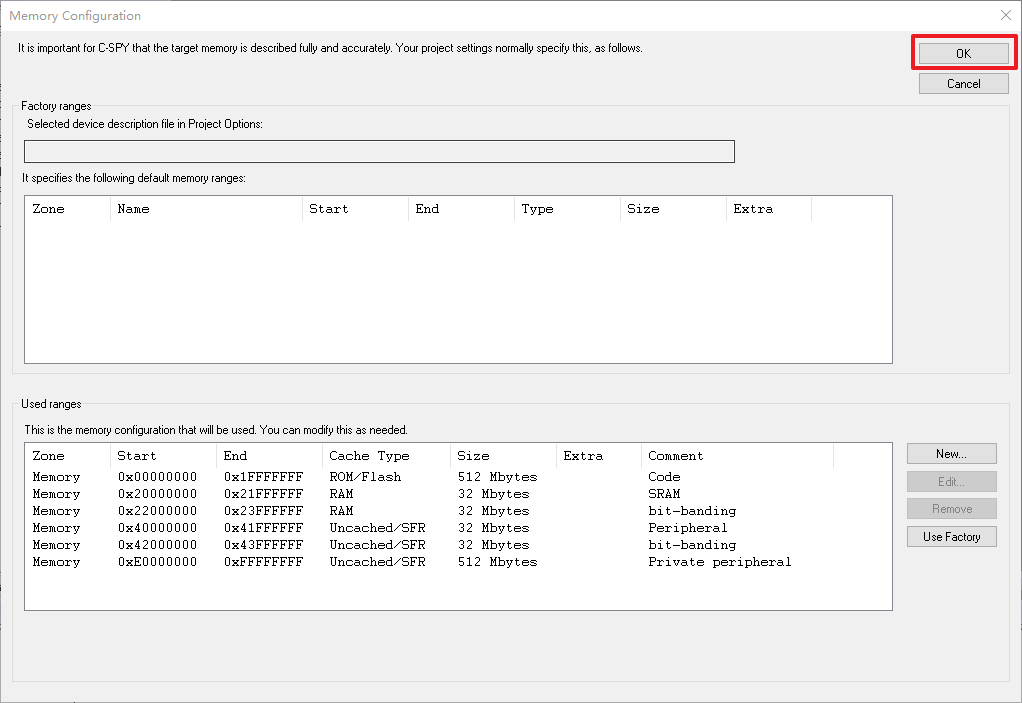
Wait for the IAR firmware to finish downloading and then start debugging. When you start debugging, there may be a popup window prompting
Warning: Stack pointer is setup to incorrect alignment. Stack addr = 0xf105'4605, just click theOKbutton, and the correct stack pointer will be loaded in the setup gr5xxx.mac file. Wait for the IAR to complete the initialization of the debug window and enter the debug mode correctly, then you can debug the application.